Local recognition
Your speech is processed on your PC with a prepared, cached model. Local history can be cleared or disabled.
Voice typing and focus tools for your Windows day.
Let’s make something worth talking about.
Animated sample
One shortcut. A clear path from thought to text.
Place your cursor where you want the text to appear.
“Turn this idea into a project plan for tomorrow.”
Your text will appear here.
From your first word to a more focused day. Watch the story in 90 seconds.
Your ideas move fast. What if you could just speak? Hold Right Control. Turn this idea into a project plan for tomorrow. Release. Your words arrive at the cursor.
Speech recognition, on your device. With cached models, you can work offline. Meet VoicePrompt. A compact island keeps the essentials close.
Capture your next task. Make space to focus. Find a rhythm, with Pomodoro. Set a reminder. Stay in your flow. Keep your words in local history.
Your contests. In one place. Your tools. Your colors. Your way. VoicePrompt. Your voice. Your workflow. Explore it on GitHub.
Choose a speech model, download it, and select Use model. Once it is ready, dictate offline on your PC.
Explore privacy detailsYour speech is processed on your PC with a prepared, cached model. Local history can be cleared or disabled.
Speech recognition runs on your PC after you download and select a model. No cloud AI account or API key is needed.
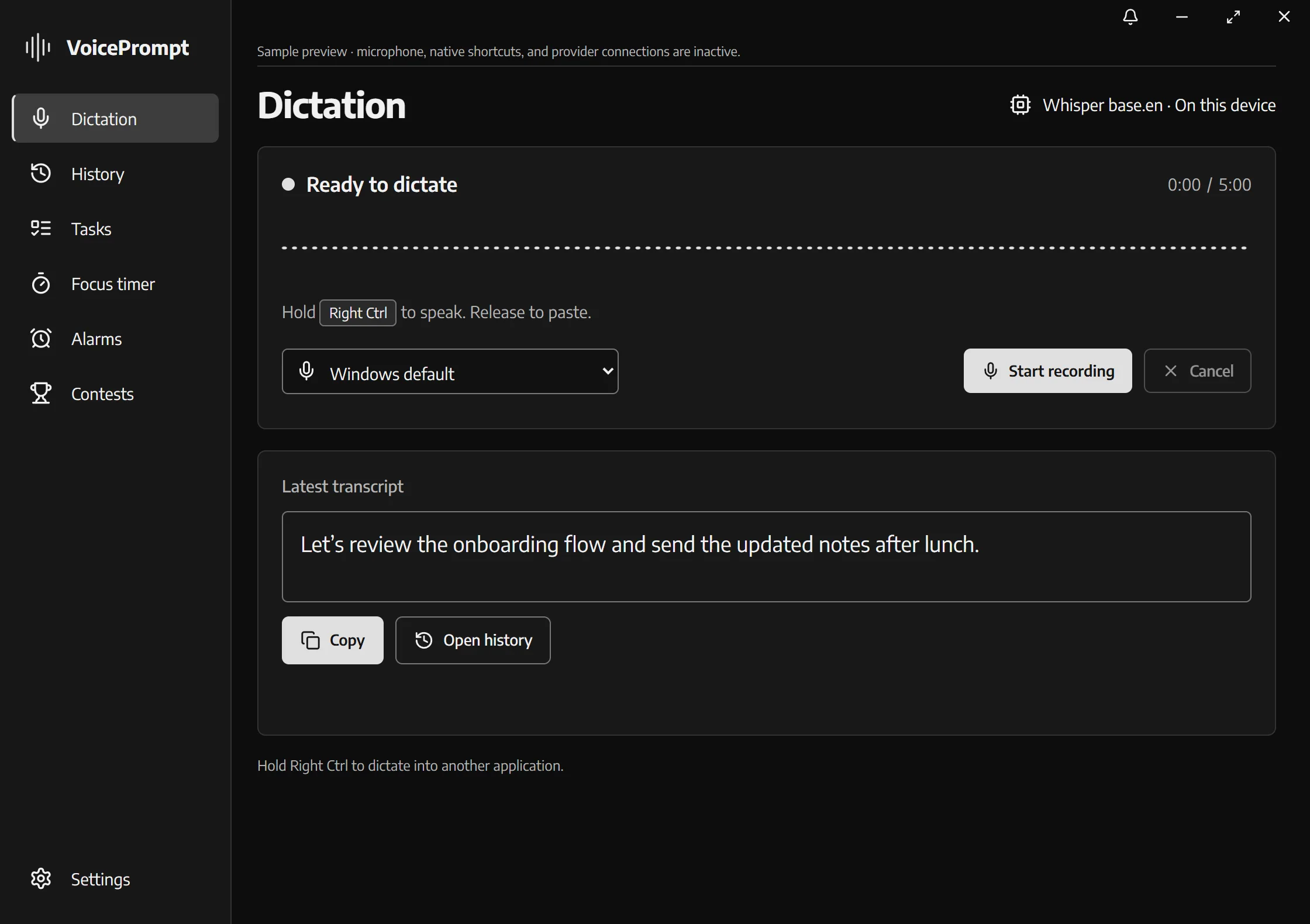
Try a text sample, or use optional browser voice typing.
Browser speech recognition may send audio to its provider. This optional demo uses a different engine from the local Windows app.
Sample data only. This preview simulates the beta interface. It does not use your microphone, activate Windows shortcuts, download models, or change files on your PC.

25:00
One thing at a time.
Interactive timer previewKeep tasks and notes close. Start a focus timer, set a reminder, and give the next thing your full attention.
Choose your shortcut, speech model, and appearance. Add custom words and revisit your transcript history.
The floating island keeps essentials close. Alarms, contest schedules, and configurable sounds round out your toolkit.
Windows 10 / 11 · 64-bit · Beta · 0.7.1 RC 1
This beta is an unsigned release candidate and may trigger a Windows SmartScreen warning. Device testing is still in progress. Install it manually; stable automatic updates remain on 0.6.3. Download and select a speech model during setup.